※ Editorial Note: The following work scenarios and characters are hypothetical to help explain the terms. They do not represent the actual experiences of the author or events at any specific company.
Let's assume a scenario where you are migrating over 200 legacy payment module files to a new SDK using an AI agent in a new team.
On Monday morning, you tell the agent, "Convert the entire payment module to the new SDK syntax." Within a few minutes, the screen halts.
What a Permission Prompt Actually Is When the AI Suddenly Halts to Ask for Approval
text
1다음 명령을 실행하시겠습니까?
2 rm -rf ./legacy-payment/*.old
3
4[y/n]
The request to delete files was unexpected for the engineer in our scenario. They had only asked to write a migration script, never to delete anything.
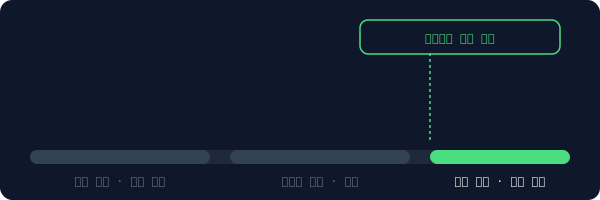
Looking up the official documentation revealed the reason. Tasks that are cumbersome to revert—such as deleting files, making external network calls, or changing system settings—were designed to pause and ask for human verification. It wasn't that the AI was being hesitant; it was a mechanism built to automatically require human intervention the moment risk exceeded a certain threshold.
A structure where low-risk tasks proceed directly, while approval prompts appear once the threshold is exceeded
After denying the approval request and asking for the reason, the agent proceeded by simply renaming the files with a .old extension instead of deleting them. The task was completed without deleting any files.
The problem came next. They realized that before the approved command actually ran, it went through one more layer.
What the Sandbox Does When You Approve an rm Command But the Files Are Safe
While skimming through a teammate's past PR, they found this setting in .claude/settings.json.
json
1{
2"sandbox":{
3"bash":"restricted",
4"network":"deny"
5}
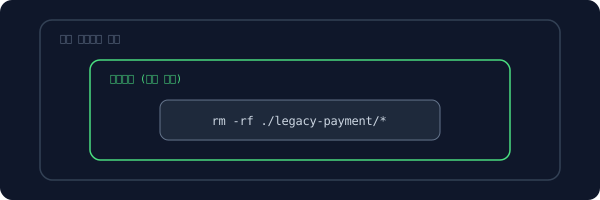
After asking the colleague, they learned that thanks to this setting, the command executed by the agent runs first in an isolated temporary environment rather than the actual project folder. It was structured so that the changes are applied to the real files only after the results are verified as safe.
It was similar to testing a transfer with a mock account first and then sending it to the real account only when no issues were found. The command itself runs, but it is filtered in a safe room before reaching actual resources.
A structure where commands are first executed and validated within an isolated layer before reaching the actual folder
Thanks to this, even if the migration script deleted the wrong path midway, not a single actual file was lost. Tuesday passed like that, and on Wednesday, they wanted to revert about half of the script changes.
How to Return to a Checkpoint When You Want to Roll Back Half of Your Migration
They realized too late that they had modified one of the payment modules too much in the wrong direction. Looking at the screen to revert it, they noticed the agent had displayed this message on its own:
text
1Checkpoint saved: before-refactor-payment-v2
217 files changed
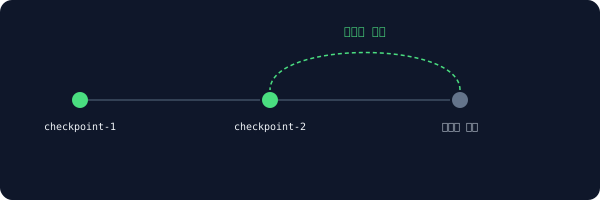
Although the engineer in our scenario had never requested a revert feature, these save points were being automatically created right before any major changes. Since it marks revert points in advance whenever tasks scale up, they could restore the code exactly to that moment simply by saying, "Go back here."
A structure for choosing and reverting back to one of the automatically saved points right before a major change
Without checkpoints, they would have had to manually pick out and revert only the incorrect parts. A task that would have consumed a lot of time was completed with a single command.
The payment module was cleaned up, but by Thursday, a new issue arose. The notification module also needed modifications, but the branch for the payment module was not yet finalized.
Why Worktree Isolation Is Needed When You Have to Work on Two Branches Simultaneously
While searching to see if they had left any notes from a similar situation in the past, they discovered an unfamiliar directory next to the project folder.
bash
1$ ls ../
2payment-migration/
3payment-migration-notify/ # folder created last month and forgotten
It was a workspace created a month ago when they similarly had to run two tasks at the same time, but had completely forgotten about. Even with the same repository, if you separate the folders by branch, the files from one task will not mix with the other at all.
It's similar to making another room in the same house so you can carry out another project in that room without moving out. Instead of duplicating the entire repository, you can just open one more folder and work on another branch right then and there.
The difference between just checking out branches within a single repository versus separating them by folder using a worktree
They opened a new folder for the notification module to work on it in parallel without interfering with the payment module task. They spent almost the entire week that way, but by Friday afternoon, the agent started behaving a bit strangely.
When the Agent Keeps Forgetting What It Said Earlier: Signs of Context Exhaustion
When asked to explain the naming convention set on Monday again, it asked back as if hearing the information—which had already been shared multiple times—for the very first time. They brushed it off once, but similar incidents kept happening.
text
1Compacting conversation...
2Compacting conversation...
3Compacting conversation...
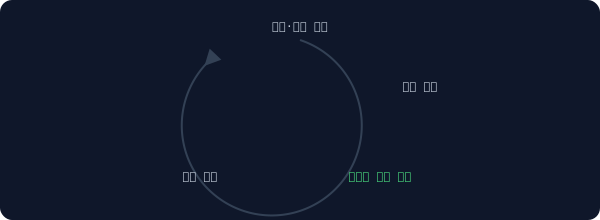
It clicked only after they noticed this message popping up in the corner of the screen far too frequently. As a week's worth of conversation and file contents accumulated, the agent was nearing its memory limit for what it could hold at one time. Once it hits the limit, it frees up space by summarizing or pushing out older details. In that process, the minor rules from the beginning become blurred.
If you keep piling documents on a desk, at some point you will start putting older files into boxes to clear them away. They don't disappear completely, but they are pushed out of immediate sight.
A cyclical structure where accumulated conversations compress older content to make space as they approach the limit
Wrapping up the week, they wrote down the naming conventions in a rules file and decided to start the next week with a new session. They realized that while you can't prevent memory from fading, you can embed important rules in a file instead of restating them every time.
Frequently Asked Questions
Is it okay to always approve every permission prompt?
No. For tasks that are difficult to undo, such as deletions or external calls, it is safer to double-check why they are necessary. However, for familiar, repetitive tasks, you can pre-approve specific commands in the settings to avoid being asked every time.
Does creating multiple worktrees increase disk usage by that much?
It increases less than duplicating files entirely. However, because each branch gets a separate folder, it is not completely free, so it is recommended to periodically clean up finished worktrees.
Does exhausting the context mean completely losing previous work?
Rather than disappearing completely, it is more like being summarized or pushed back. However, details or minor rules that are easy to lose during the summarization process should be kept separately in a rules file or note for safety.
This is Part 2 of the <a href="/glossary/code-generation" class="glossary-link" title="A technology in which AI automatically writes programming code based on natural language descriptions or the context of existing code.">AI coding</a> tool glossary series. Next episode preview · Part 3: Zombie Tasks, Orphaned Processes, Agent Swarms, Binaries, and Dependencies when something keeps running in the terminal even after turning off the agent