※ Editorial Note: The work scenario and characters below are hypothetical situations to help understand the terms. They do not recreate actual experiences of the author or events at any specific company.
Let's imagine a hypothetical night shift tracing a session disconnection bug on an internal login screen using an AI coding tool.
While using AI coding tools throughout that day, I kept encountering unfamiliar terms. The first one I ran into was 'subagent'.
Why the AI coding tool displays "Running subagent"
There were more than a few files that could be causing the session bug. When I asked, "Find all session-related logic in this entire project and point out the cause," this line appeared on the screen.
bash
1$ claude "세션 끊김 버그 원인 찾아줘"
2Launching subagent: code-reviewer (Explore)...
3Launching subagent: file-search (Explore)...
I momentarily hesitated, thinking it meant another AI had turned on without my calling it. I wondered if something beyond my control was acting on its own.
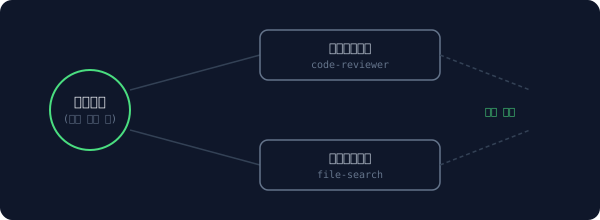
As it turned out, it was nothing to worry about. It wasn't that a new AI popped up independently, but rather that the agent I was chatting with was declaring, "I won't look at this part directly; I'll delegate it to a dedicated assistant." It's similar to a manager at a company saying, "I'll hand this part over to the review team," instead of handling everything themselves.
A structure where the main agent delegates subtasks to subagents and only receives the results
I actually benefited from this approach. If I had opened hundreds of files in a single main conversation without subagents, irrelevant content would have accumulated in the chat memory, pushing the truly important context aside.
Instead, by running a separate "code review team" and "file search team" and having them bring back only their respective results, I was able to pin down the causes scattered across three files without cluttering the main conversation.
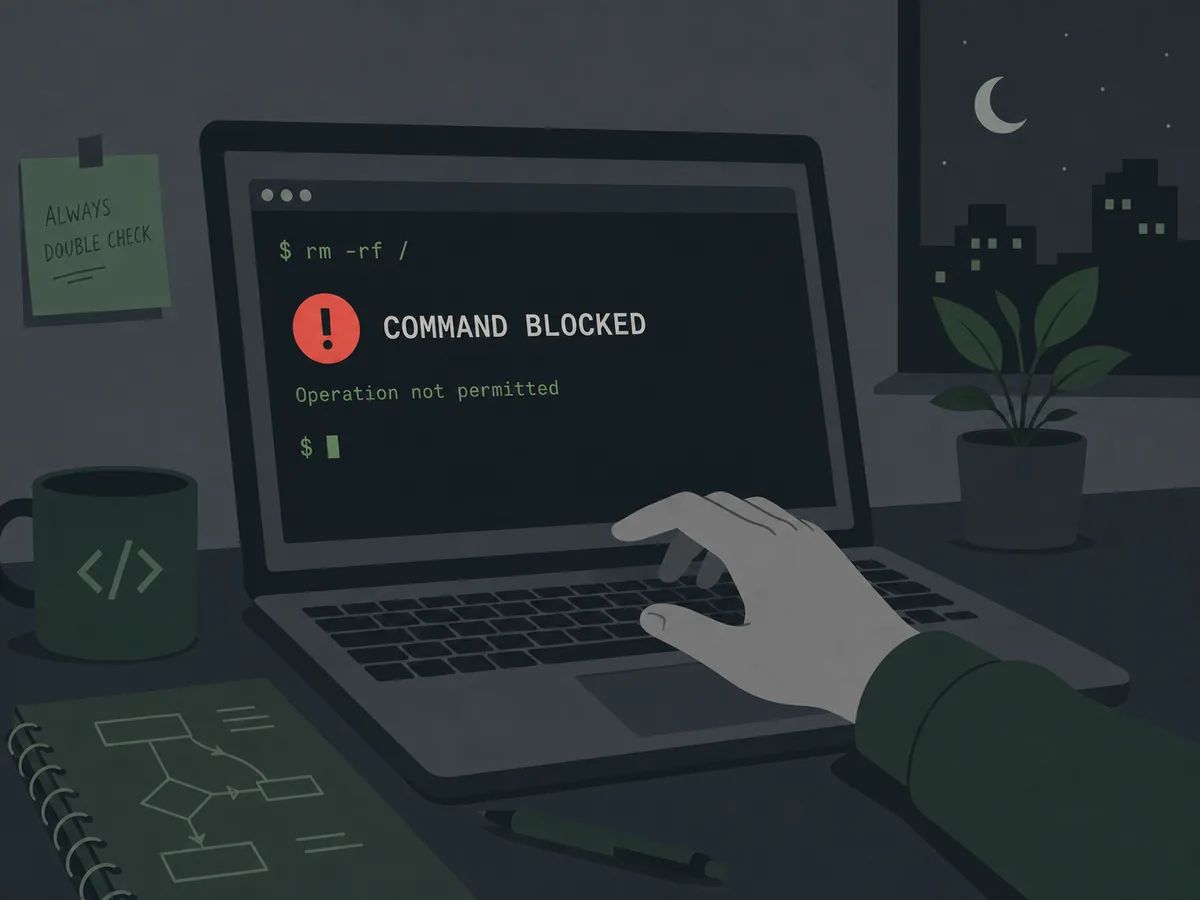
The moment I fixed the code after finding the cause and tried to commit, this time it wasn't the AI but the system itself that held me back.
When the AI tool suddenly blocks your commit: The truth behind pre-commit hooks
The person in charge in the scenario had never asked to commit a secret key. So I thought the AI was malfunctioning and insisting on something that wasn't there.
Looking at the screen again, the answer was already printed in the logs. It was named .husky/pre-commit. I had forgotten that I temporarily put the developer's actual AWS key into .env.local while debugging, but what caught this wasn't the AI—it was a hook that the team manager had set up earlier, saying, "Always run this check right before committing." The AI was simply following that rule.
A hook pre-configured for the moment "right before commit" automatically runs
It's similar to putting a note on the front door saying, "Check if the gas is off before leaving," which automatically catches your eye every time you open the door. It's a mechanism set up in advance to run automatically right before a specific action.
Without this hook, that key would have been pushed to the remote repository as is. Even if I had realized it later, it would have already remained in the history, forcing us to revoke and reissue the entire key. Because the decision-making process was automated instead of relying on human memory, a simple mistake did not turn into an incident.
The thought of having to write the commit message on top of all this left me completely exhausted.
If you're tired of explaining commit conventions every time, slash commands will remember them for you
A colleague next to me said, "Just type /commit."
bash
1> /commit
2→ diff 분석 중...
3→ fix(auth): 세션 만료 시 자동 로그아웃 처리
4→ Committed: a1b2c3d
At first, I thought it was just a shortcut to abbreviate a frequently used command.
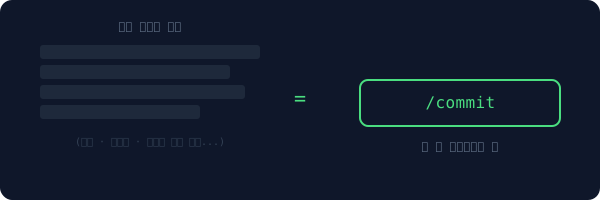
A structure where team rules are pre-saved in a single command instead of being repeatedly explained every time
I later learned it had a much more important role. This team had set rules for commit messages (type, scope, explanation in Korean). There was no longer a need to explain those rules in a long prompt every time, because the team rules were already embedded in the single /commit command.
It's like saying "the usual" at a restaurant; you know exactly what is being ordered without even looking at the menu. The key point is that it wasn't just a shortcut for an individual developer to use, but a mechanism that aligned the entire team to work under the same rules.
Having recently joined, I hadn't finished reading the convention document yet. But just by typing /commit, a commit message matching the team's rules was generated. Instead of reading through the onboarding document, a single command served as the document itself.
Throughout that day, subagents, hooks, and slash commands all gave the impression that "something is moving on its own without my knowledge."
But looking closely, all three shared the same reality. It wasn't the AI acting on its own whim; rather, it was operating within rules and roles pre-defined by someone—be it the developer themselves or the team.
Frequently Asked Questions
Does calling multiple subagents take longer?
Contrary to intuition, it often makes things faster. Because multiple assistants search their assigned files simultaneously, the total work time is reduced compared to a single AI opening everything sequentially. However, if there are too many assistants, the time required to compile the results can increase, so calling more is not always better.
Can users disable hooks?
Yes, most tools allow you to enable or disable hooks in configuration files. However, hooks directly related to safety, like the one preventing secret leaks in this case, are often enforced at the team level. Disabling them arbitrarily on your own could mean removing the final safeguard against accidents.
Can anyone create a slash command?
Yes, you can define custom commands for each project. If your team has repetitive procedures (commit rules, code review checklists, pre-deployment verifications), we recommend creating them as slash commands. Instead of making new joiners read documents, you can have a single command execute the procedure on their behalf.
This is the first part of our series on the AI coding tool glossary. In the next part, we'll explore what actually happens when an AI says "requesting permission." We'll look at permission prompts, sandboxes, checkpoints, worktree isolation, and context exhaustion.