#Orchestrator vs. Worker#Delegate#MCP#Fork#Release Tag#Submodule#AI Coding Tools#Glossary
※ Editorial Policy: The following work situation and characters are hypothetical scenarios designed to help understand the terminology. They do not represent the actual experiences of the author or replicate events at any specific company.
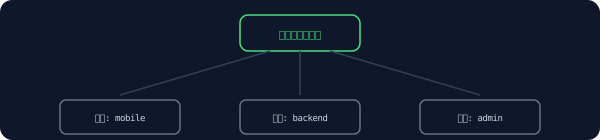
Consider a hypothetical project where we release a mobile app, backend, and admin tool—three repositories bundled together.
When dividing roles instead of one agent doing everything: Orchestrator and Worker
text
1orchestrator: 릴리스 순서·의존성 관리
2 ├─ worker: mobile-app 빌드
3 ├─ worker: backend 빌드
4 └─ worker: admin-tool 빌드
A note left a few months ago already outlined this structure. It was a system that divides the role of managing the overall sequence and dependencies from the role of handling each individual task of the worker, where one party directs and the others handle their respective shares. It was like having a construction site superintendent who manages the overall schedule, and individual teams that actually construct their assigned sections.
A structure divided into a role that manages the overall sequence and a role that processes the actual work
When the release actually started, I repeatedly saw the agent hand off tasks from the three repositories to other sessions one by one.
When the same pattern repeats: The moment you realize this is a Delegate
text
1Delegating mobile-app build to worker session...
2Delegating backend build to worker session...
Only after seeing the same phrase appear all three times did I realize this wasn't an ad-hoc improvisation, but a defined method. Instead of handling it directly, delegating to another entity that is well-suited for the task and only receiving the result was what Delegate was. The same name used when a team leader delegates tasks to individual team members instead of doing all the practical work themselves was being used here as well.
A repeating pattern of delegating instead of handling directly and only receiving the result back
While preparing the release notes for the backend repository, I was curious about how a newly connected tool connects to our system, so I looked it up.
When connecting different tools in a standardized way: MCP
json
1{"mcpServers":{"figma":{...},"notion":{...}}}
Upon searching, I found that this acronym stands for a common specification to connect models with external tools. It was a standard that allows any tool to be connected just by following a single set specification, without having to learn a new connection method for each tool every time. The idea is similar to electronic appliances worldwide using standard sockets instead of different plug shapes, so even though the name itself was unfamiliar, the concept was quickly understood.
A structure connecting different tools through a single standardized specification
While tidying up the admin tool repository, I discovered that the link for one of the library sources recorded in the log was different from the project I originally knew.
When it has the same name but is not the original: Fork
text
1origin: github.com/our-team/chart-lib-fork
2(원본: github.com/original-author/chart-lib)
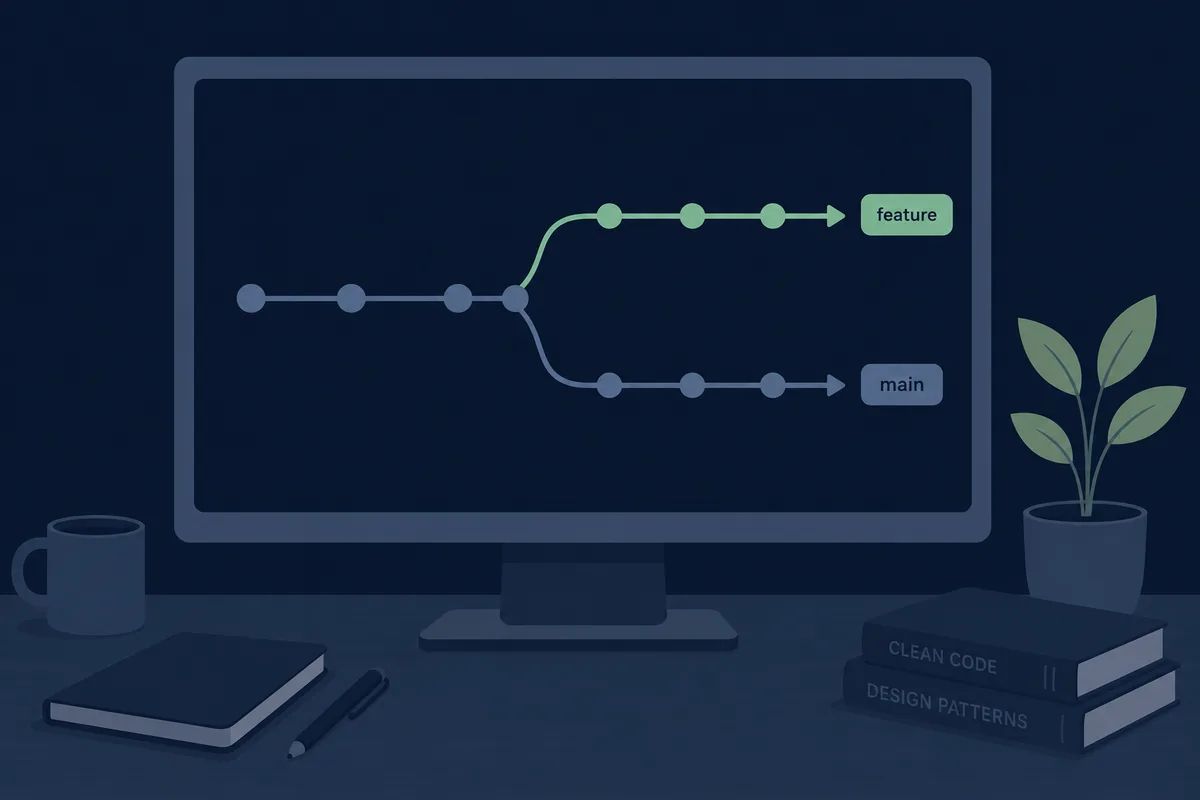
Checking the log again, it turned out to be a trace of our team copying the original library in its entirety a few months ago to add a required feature, branching off into our own version.
A Fork was one's own copy created by duplicating the original repository, which is then developed independently. We had added a feature only to our side that was missing in the original, and we needed that feature for this release as well.
A copy duplicated from the original and branched off independently
Once the builds for all three repositories were complete, it was the turn of this manager to officially mark the version. A colleague in charge of the release explained the procedure.
To locate this version accurately in the future: Release Tag
bash
1$ git tag v3.4.0
2$ git push origin v3.4.0
My colleague told me, 'Commit numbers are hard to remember, so we put a name tag on it.'
It was a name tag that points out and labels exactly which commit is the 'officially deployed version 3.4.0' among many. Even if an inquiry arose later, the code at that specific point could be retrieved accurately.
A structure that tags exactly one official deployment point among numerous commits
Finally, inside the admin tool repository, I discovered that a design component repository managed by another team was embedded in its entirety.
When another repository is embedded in its entirety inside a repository: Submodule
text
1.gitmodules
2[submodule "design-kit"]
3 path = libs/design-kit
4 url = github.com/design-team/design-kit
Looking at the official documentation, this folder did not belong to our repository; it was merely referencing another repository at a specific version.
It was a method of embedding another independently managed repository in its entirety into a specific folder location within my repository at a specific version. It was similar to displaying a painting drawn by someone else inside a picture frame. With this, the integrated release of the three repositories was complete.
A structure where another independent repository is embedded in its entirety at a specific version
The release of the three repositories went out all at once on the afternoon of the same day. When there are multiple repositories, the difficult part is not deploying each one, but leaving records so that you can identify later which version paired with which.
Frequently Asked Questions
What happens to the workers if the orchestrator dies?
Ongoing tasks generally continue to process, but because there is no entity to manage the overall sequence, the process stops and cannot proceed to the next step. It is safer to separately prepare a recovery or restart method for the orchestrator itself.
Can a forked library continue to receive updates from the original?
You can pull the new version if you register the upstream repository as a remote. However, if a conflict occurs with the changes we made separately, you will have to resolve it manually each time.
Do submodules always follow the latest version automatically?
No. Submodules are pinned to a specific commit point, so even if the original is updated, they remain as they are until you manually run the update command.
This is the 12th episode of the <a href="/glossary/code-generation" class="glossary-link" title="A technology in which AI automatically writes programming code based on natural language descriptions or the context of existing code.">AI Coding</a> Tool Glossary series. Next Episode Preview · Episode 13: The Day of Digging Through Logs All Night to Catch a Concurrency Bug: Plugins · Skill Files · Auto-approval Mode · Deadlock · Race Condition